A shopper searching for “solid oak desks for small spaces” lands on a broad furniture collection. Your oak desks are in stock, but the useful assortment sits behind filters and a load-more button. A separate product URL shows the wrong finish by default. Every item is technically online, yet the buying journey breaks.
Shopify generates canonical tags, robots.txt, and a sitemap. But the decisions that determine whether the right page shows up and earns the click sit across your catalog, theme, navigation, and product data.
This article talks about some of the most prominent Shopify SEO challenges you can overcome and improve search visibility.
Diagnose The Failure Before Changing The Store
While solving some of the biggest Shopify SEO challenges, starting with URLs tied to sales, backlinks, or a strategically important assortment is necessary. This helps identify which issues affect important pages and where search visibility or the buying journey breaks.
Include an affected example and a healthy comparison for each template. For a first pass, sample a priority collection, its second page, a filtered view, a best seller, one variant URL, and a localized version if you sell internationally.
Page Missing From Search
One of the biggest Shopify SEO challenges occurs when the page itself is missing from the search. Check the response status, crawl permissions, indexability, sitemap inclusion, and whether another page links to it. With these signals, Google can crawl the important pages. If the page is missing or blocked, it can limit organic visibility, eventually preventing potential customers from finding the relevant products.
Wrong URLs
Compare the declared and Google-selected canonical. Check where navigation, product cards, and market selectors send shoppers. Conflicting URL signals can cause Google to select an unintended page, splitting visibility across similar URLs.
Right Page But Few Relevant Impressions
You need to compare the assortment and purpose of the page with what the query asks for. Collections having only two products might be a weak destination for a comparison search. Hence, ensure the page aligns with search intent for relevance and traffic.
Impressions Or Clicks Are Healthy But Purchases Lag
Check the –
- Search snippet.
- Preselected variant.
- Stock, shipping information.
- Mobile experience.
Segment the data by device and market before assigning a cause. This helps in identifying the reason behind shoppers dropping off, which can either be inaccurate product information or friction in the buying journey.
To identify these Shopify SEO challenges, use the URL Inspection tool in Google Search Console to see what Google has already processed. Use the live test to check what Google can fetch now. A healthy live test after a release is a useful immediate check. Canonical selection and indexing can take longer to reflect the change.
Correct the issues, and check the monitor for indexing, relevant impressions, clicks, and organic purchases. The expected results include better discovery of –
- Priority pages.
- Improved search visibility.
- Smoother journey from search to purchase.
Google’s e-commerce documentation states why crawlable links and structured website navigation are important. These help Google discover product and category pages. This supports the need to review aspects like – navigation, pagination, and internal linking when identifying Shopify SEO issues.
Make Product URL Signals Consistent
Inconsistent product URL signals are also among the most prominent Shopify SEO challenges. A shopper can find a desk through a collection page, where the link can look like /collections/desks/products/a-furniture-product (from the store). The same desk can also have another link—/product/—for furniture. Make sure that both of the links point to the same product page and that your store uses the preferred link consistently.
Investigate where the root product URL is preferred and link there consistently from grids, recommendations, and guides. Handle the shared theme components that can generate the alternate links so every collection inherits the correction. With this, Google can identify the preferred product URL and avoid all the splitting internal linking signals.
A duplicate exclusion in Search Console can take place when Google indexes the preferred equivalent URL. Hence, check when Google chooses a different product, a retired URL, or an unintended market. Look for the conflicting tags injected by a theme or app and follow any canonical target to ensure that it resolves to an indexable page. Resolving these problems can help prevent unintended URLs from appearing in search results.
Market pages need separate checks. Shopify Markets documents self-referencing canonicals and hreflang for each distinct market version. Audit the live output after theme or domain changes, including whether each alternate resolves and whether the page shows the expected language, currency, and assortment. This helps search engines serve the right market version and gives international shoppers a more relevant experience.
Give Collection Filters An Indexing Strategy
Identify Low-Value Filter URLs
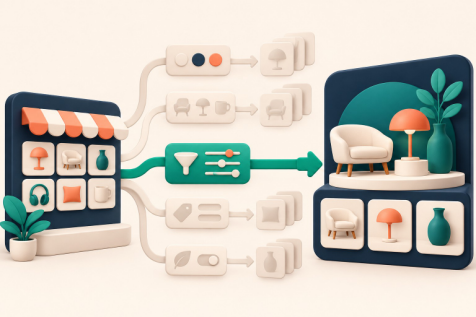
Sorting by price and stacking size, finish, and availability filters can produce many addresses for nearly the same catalog. This issue is also among the top Shopify SEO challenges, as search engines may spend time crawling URLs that offer little additional value. To solve this, start by sampling the URLs for your actual theme and apps generated. Compare the live robots.txt rules with those patterns and check whether sorting and filtering links are discoverable in the HTML. Shopify’s defaults already cover certain patterns, including some sorted collections.
Create Collections Based On Search Intent
Create a dedicated collection only when the search expresses a distinct buying need and the store can maintain a useful assortment. “Small solid oak desks” could justify a landing page if shoppers can compare credible options with consistent dimensions and materials. “Oak desks sorted by price with one finish and pickup only” is usually a browsing state. For a new collection, set merchandising rules, add genuinely helpful selection criteria, and link to the relevant parent collection or buying guide. This helps create useful landing pages that match search intent and offer shoppers more relevant product choices. Irrelevant offerings on a platform like Shopify are one of the biggest Shopify SEO challenges.
Apply The Right Crawl And Indexing Controls
Unclear indexing controls are again among the most prominent Shopify SEO challenges. Use crawl controls for URL patterns that do not need crawling. Use a crawlable noindex directive when you want Google to read an instruction to exclude a page. A robots.txt block can leave an already discovered URL visible and prevent Google from reading directives on that page. Test any pattern against representative product, collection, and market URLs before release. A clear indexing strategy helps reduce unnecessary crawling, improve the discovery of important collections, and prevent low-value filter combinations from competing with useful landing pages.
Google’s December 2024 Crawling Update came with the faceted navigation publication which explains that excessive filter combinations can create near-infinite URLs, resulting in overcrawling and slower discovery of important pages. Google also recommends controlling unnecessary faceted URLs through appropriate crawl restrictions.
Make The Catalog Easy To Discover And Compare
A catalog that is hard to access is indeed among the widely known Shopify SEO challenges. When the catalog is easily accessible to people, they will eventually be able to get a hold of the products with ease and compare the products so that they can buy the exact one they need.
Ensure Products Are Crawlable
Follow a product from the main menu to a category, then through the grid to its detail page. Repeat with a product that appears after the first batch. Google generally follows real links with an href. If “load more” fetches items only after a click, give each batch a crawlable paginated URL and link the pages in sequence. Use a self-referencing canonical for each page in that sequence so later pages can serve as separate discovery paths. This helps Google discover products beyond the initial collection view instead of relying entirely on user-triggered interactions.
Match Pages To Shopping Intent
Once the catalog is reachable, match the page to the shopping task. A collection for compact desks shows width, depth, material, and storage options clearly. The furniture product page can talk about the product’s features. On the other hand, a sizing guide can show the way to measure chair clearance as well as the link to the relevant collection. Write distinct titles and leverage the facts your team can substantiate, like –
- Measured clearance
- Accurate materials
- Verified delivery limits.
These details help shoppers engage with the products, understand their suitability, and make more informed purchasing decisions. Compromising engagement and pages not aligning with the shopping intent is another Shopify SEO challenge.
Use Product List UX Research To Identify Gaps
Baymard Institute’s 2025 Product List UX research reviewed 170+ ecommerce websites and found that 58% of desktop sites and 78% of mobile sites have not performed up to the mark or moderately in product-list usability. Hence, improving product discovery, filtering, and product information can address critical usability gaps that can affect shoppers’ ability to access suitable products.
Review Search Performance Before Consolidating Pages
Check Search Console at the page and query level after changes. If two URLs appear for related terms, review the actual queries and pages before merging anything. A guide and a collection can both serve as a “desk for a small room” when one helps the shopper measure and the other helps them compare products. Consolidation is more plausible when two collections stock essentially the same items and promise the same buying outcome.
Measure The Impact On Discovery And Conversions
Track organic impressions, clicks, indexed product URLs, relevant search queries, and purchases from organic landing pages before and after implementation. The expected results are better product discovery, stronger alignment with search intent, more qualified organic traffic, and fewer missed opportunities in the buying journey.
Keep Variants And Shopping Data In Sync
Open a variant landing URL directly, with no prior session. A shopper who clicks the walnut desk in Shopping should see walnut selected, along with the matching image, price, availability, and purchase option. Repeat on mobile and for a market with a different currency. Compare the visible offer with rendered structured data, the Merchant Center entry, and checkout where relevant. A markup validator can pass even when the values describe the wrong item.
This is critical and can lead to one of the biggest Shopify SEO challenges, because mismatched variant information can form gaps between what shoppers see in shopping results and what they can actually purchase. Google Merchant Center recommends preselecting the correct product variant on the landing page, which helps ensure that its price and availability align with the submitted product data. It further helps determine that there’s consistency in these signals, which eventually helps reduce product data discrepancies and forms a more reliable shopping experience.
For products that switch variants on a single product page, Google documents ProductGroup markup to connect related variants. Use variant links that actually preselect the correct option. If a theme and an app both emit product markup, trace conflicting entities back to their owners. Start with one variant that differs in price, one that is out of stock, and one whose currency varies by market. Validate with the Rich Results Test and check Merchant Center item diagnostics after feed updates. Structured data supports eligibility for enhanced appearances. Placement is determined by Google.
Trace Mobile Performance To The Affected Template
A collection grid and a product page can fail for different reasons. Filter interactions might stall on the collection page, while a product page waits on a large first image or shifts when reviews appear. These problems end up hurting the user experience, engagement, and conversions, and leading to one of the biggest Shopify SEO Challenges. It is suggested to use Shopify’s Web Performance Dashboard to locate the affected page types and device groups and then reproduce the problem on a representative mobile URL.
- Slow initial rendering – Determine the largest contentful paint element. See if it is the first product image, load it eagerly, serve a responsive size, and try not to delay its appearance with an animation.
- Slow interaction – Check if the variant selector and collection filters along with the add-to-cart action, are working right. Profile third-party scripts and app embeds first, and then decide what to defer or remove.
- Layout shifts – Always reserve space for product images and late-rendering components like reviews and promotional banners.
Google’s good Core Web Vitals thresholds are LCP at or below 2.5 seconds, INP at or below 200 milliseconds, and CLS at or below 0.1, evaluated at the 75th percentile. Initiate lab tests to isolate causes and field data, which will help evaluate the shoppers’ experience. Log the release date and identify the changes in the affected template before and after the change. Meeting these thresholds aids in delivering a smoother mobile experience and also supports better page performance.
Convert The Audit Into A Release Plan
- Fix barriers that are problematic and affect the templates or markets, like accidental blocks, conflicting canonicals, or incorrect market destinations.
- Next, fix the shopping data for products, and work on the feed discrepancies, which can send shoppers to an offer they cannot buy.
- Improve the content as well as the mobile experience on the pages that already show evidence of demand.
For each fix, record the affected template, two or three representative URLs, the expected outcome, the owner, and the launch date. Verify the change on the live storefront first. Then check the relevant impressions and clicks in Search Console and purchases and compare them with the organic landing pages in store analytics.
Beyond traditional search performance, monitor how your brand appears in AI search and high-intent social conversations.
Tools to Solve SEO Challenges in Shopify
A critical part of how to solve Shopify SEO challenges is understanding how people discover your product, and that includes visibility through the AI-powered search. With the right tools, you can identify –
- Technical issues.
- Improve Search Visibility.
- Identify your brand’s appearances when people look for recommendations.
Traditional SEO can help Shopify stores appear in search results, but people are using AI, especially ChatGPT, Gemini, and Google AI Mode, to compare products and decide which brand they are going to opt for. Not to mention, a brand doing well in traditional search doesn’t guarantee it will appear when buyers ask AI for recommendations.
Airpulse comes in to solve those Shopify SEO challenges, which helps track questions your potential customers might be asking on AI search platforms. It highlights if your brand appears in AI searches, where it lags, and where competitors are getting the upper hand. Hence, Shopify businesses can get a clear understanding of their AI visibility.
- Track AI visibility: You can check if your brand shows up in the relevant buyer questions on AI search platforms.
- Identify visibility gaps: Take note of the questions where competitors get a recommendation, but not your brand. You can also identify the sources that influence those answers.
- Improve website content: You can enhance your website content by using GEO audits, content briefs, and recommendations, making it easier for AI engines to crawl your brand.
- Understand competitor performance: The platform also lets you compare your brand’s visibility and citations with competitors to eventually help in determining the opportunities to strengthen your product and category content.
- Monitor progress: It also lets you track the buyer questions, which evolve over time, which helps you determine if the content improvements are helping your brand earn more mentions and citations.
Airpulse connects visibility monitoring with action. Knowing where your brand lags behind is one thing, but the platform further helps you by giving valuable insights that can guide you with the necessary improvements.
There are also some other tools like SEORCE, Semrush AI Visibility Toolkit, Profound, Otterly AI, etc., which help boost website performance by tracking how brands appear in AI-powered searches. But Airpulse always has an upper hand in its high-intent social conversations. For Shopify stores looking to reach customers beyond traditional search results, it is a valuable addition to their SEO toolkit.
Preserve URLs With Traffic And Backlinks
Before changing URLs during a migration, it is always suggested to check which pages get search traffic or have backlinks. Redirect each old URL to the closest matching new page.
Products with a clear replacement redirect to it. If it is temporarily out of stock, keep the page live and update its availability. In case the page is permanently removed with no suitable replacement, return a 404 or 410 error. Try not to redirect unrelated pages to the homepage, as search engines might treat them as missing pages.
Shopify’s native redirects apply to broken URLs. After launch, test that important old URLs reach the intended destination directly. See if the new page that responds successfully is indexable and has the intended canonical.
- Update menus
- Collection links
- Feeds to use the destination
- Submit the new sitemap where applicable
- Watch indexing and organic landing-page traffic
For a site move, Google suggests keeping the redirects in place for at least a year. With these steps, you can preserve the existing SEO signals, subsequently keep up the backlink value, and minimize traffic disruptions during migration.
A 2026 analysis by PageSpeed Matters even examined 14,596 backlinked URLs throughout 675 websites that migrated to Shopify. It determined that 30.1% returned a 404 or 410, and only 3.5% redirected to the homepage. This reflects the importance of mapping and testing redirects before and after migration.
Bottom Line
Once the storefront can answer a buying question clearly, look at how people ask it elsewhere. “Will a monitor arm fit this desk?” may surface in search, an AI answer, or a social conversation. If the same question keeps appearing, make the answer easy to verify on the product page or in a useful guide. Also, monitor which questions drive traffic, whether your brand appears in relevant AI answers, and which sources influence those recommendations.
Solving Shopify SEO challenges isn’t a one-time task. It requires consistent improvements to product information, search visibility, and brand presence. You can also explore Airpulse to help your brand get discovered in high-intent conversations across AI search and social.
Frequently Asked Questions
Should every color or size have an indexable product page?
A selectable variant benefits from a URL that opens the right option, especially when a shopping feed links to it. For a single product detail page, those URLs can belong to the same product group and share a canonical product URL. Evaluate a standalone page when the option serves a genuinely different buying need and supports distinct content and merchandising.
Can submitting a sitemap fix indexing?
A sitemap helps Google find the URLs you want discovered. It cannot resolve an
- Accidental noindex
- Broken navigation
- Conflicting canonical signals
Inspect a missing priority URL before resubmitting.
Do Shopify’s URL folders need to change?
The standard /products/ and /collections/ paths can support a clear catalog. Focus on –
- Descriptive handles
- Consistent links
- Whether shoppers and crawlers can reach the important pages
Changing a working handle creates redirects and link maintenance.